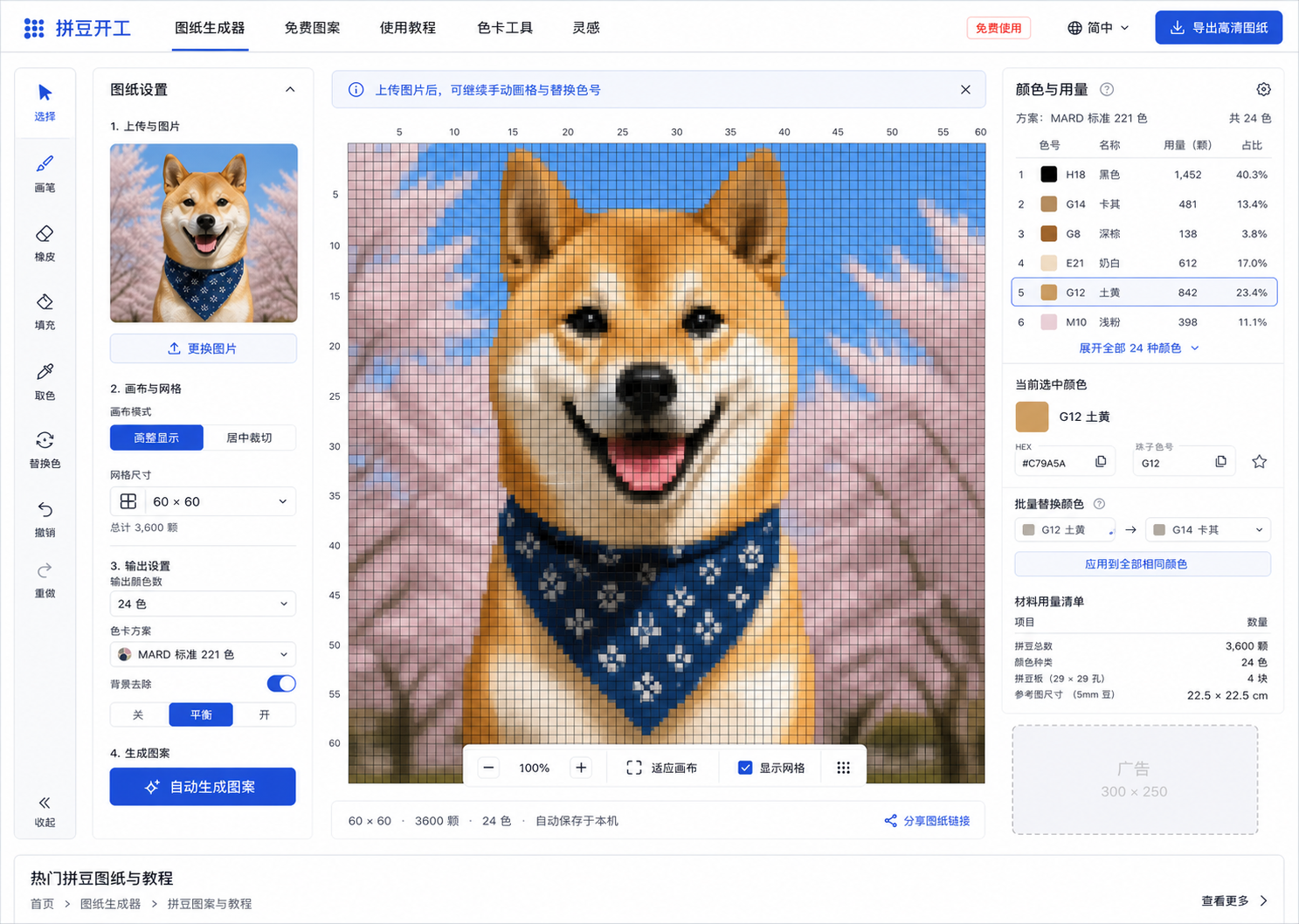
1. Choose a clear image
Choose a local photo or a site image. Clear outlines and simple backgrounds work best; choose fit or center crop.
2. Choose a grid and palette
Start with 29×29 or 40×40 and 8–12 colors. Select a MARD, Perler or Hama reference palette and generate a preview.
3. Edit and check materials
Paint, erase and replace colors to clean up the grid. Each filled cell represents one bead. Check a physical color chart before buying materials.
4. Export and build
Save a free 2500px PNG or use a high-resolution trial or Pro. Follow the chart to place beads; children need adult supervision for ironing.
Frequently asked questions
Is it free and do I need an account?
Image selection, generation, editing, color replacement, bead counts and 2500px PNG exports are free without an account. Each device also gets three 4000/6000/8000px export trials; further high-resolution exports require Pro.
How much is Pro and does it renew automatically?
Pro 365-Day Access costs US$19.99 and Pro Lifetime costs US$39.99. Both are one-time purchases with no automatic renewal and include 4000/6000/8000px PNG exports. Lifetime means access while the product service operates. Final currency, taxes and total are shown at checkout.
How many beads does a 29×29 pattern need?
A fully filled 29×29 grid needs 841 beads. The full-grid limits for 40×40, 60×60 and 80×80 are 1600, 3600 and 6400. Empty cells reduce the count; use the editor's material summary for your actual pattern.
Are these complete official brand palettes?
No. MARD, Perler and Hama each currently have 48 common screen-reference colors, not full official catalogs or all 221 MARD colors. Site codes and HEX values are references, not guaranteed official product numbers. Verify physical color charts before buying.
Can I sign in without Google?
Yes. Email-code login, GitHub and Google are available for purchases and restoring Pro access. Email login does not depend on Google authentication, but still depends on your network and email provider.
Are my photos uploaded for processing?
Pattern generation, pixel editing and PNG drawing run locally in your browser; generating a pattern does not require sending the selected photo to a server. Sign-in, purchases and visit statistics still communicate with the server. See the privacy policy.
Does it work on a phone?
Use a phone, tablet or desktop browser without installing an app. Larger grids and high-resolution exports need more memory; lower the size on less powerful devices. You can print the downloaded PNG using your device's print tools.
Will a photo or anime portrait be reproduced exactly?
No exact reproduction is guaranteed. Small grids lose detail and complex backgrounds often need manual cleanup. Check permissions before publicly sharing or commercially using other people's photos or copyrighted characters.